Submitting a support ticket is the quickest way to get a hold of our support team and resolve queries you may have. This article shows you how you can submit a support ticket. We aim to support you and make things easy for you so that you can focus on your business.
Step 1: Login into your Jesede client area
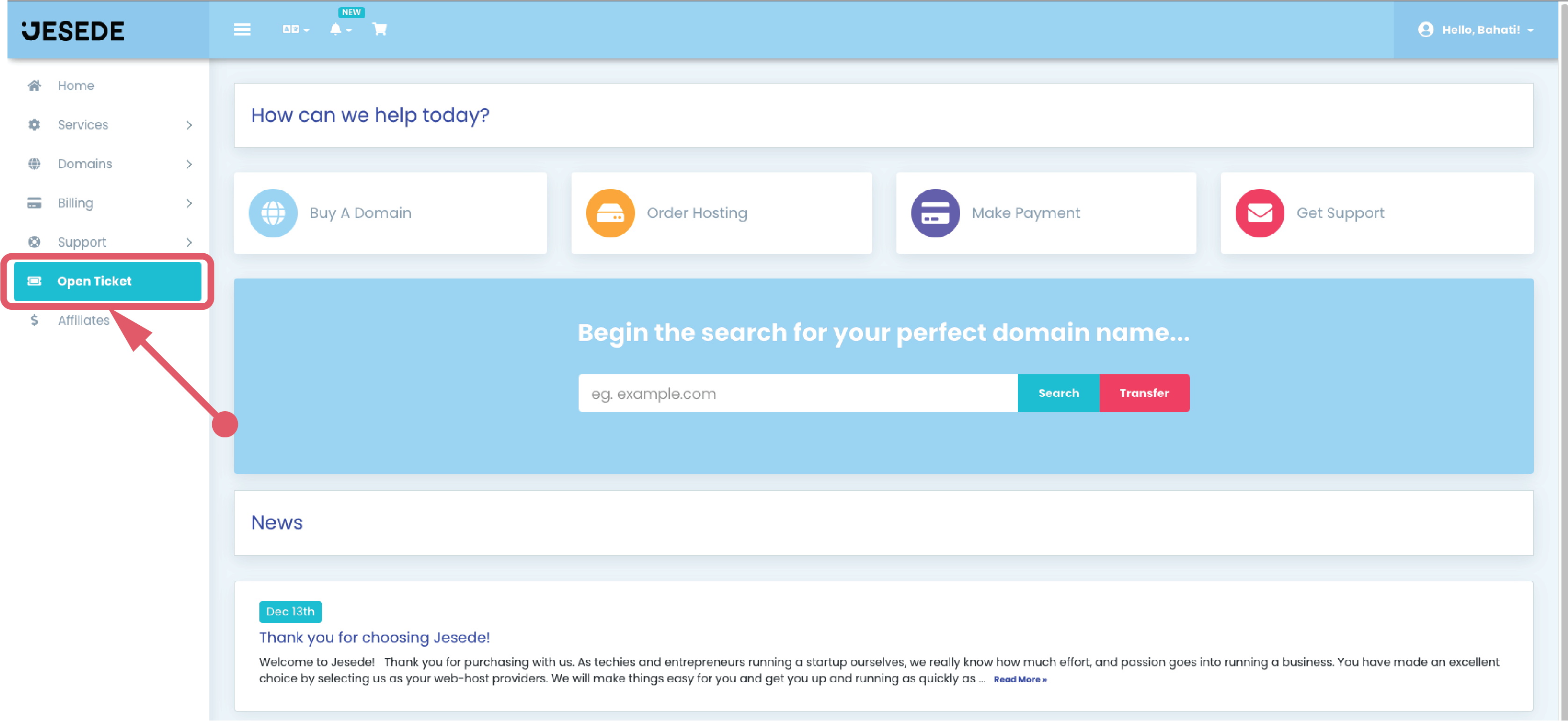
Step 2: Click on the “Open Ticket” button.
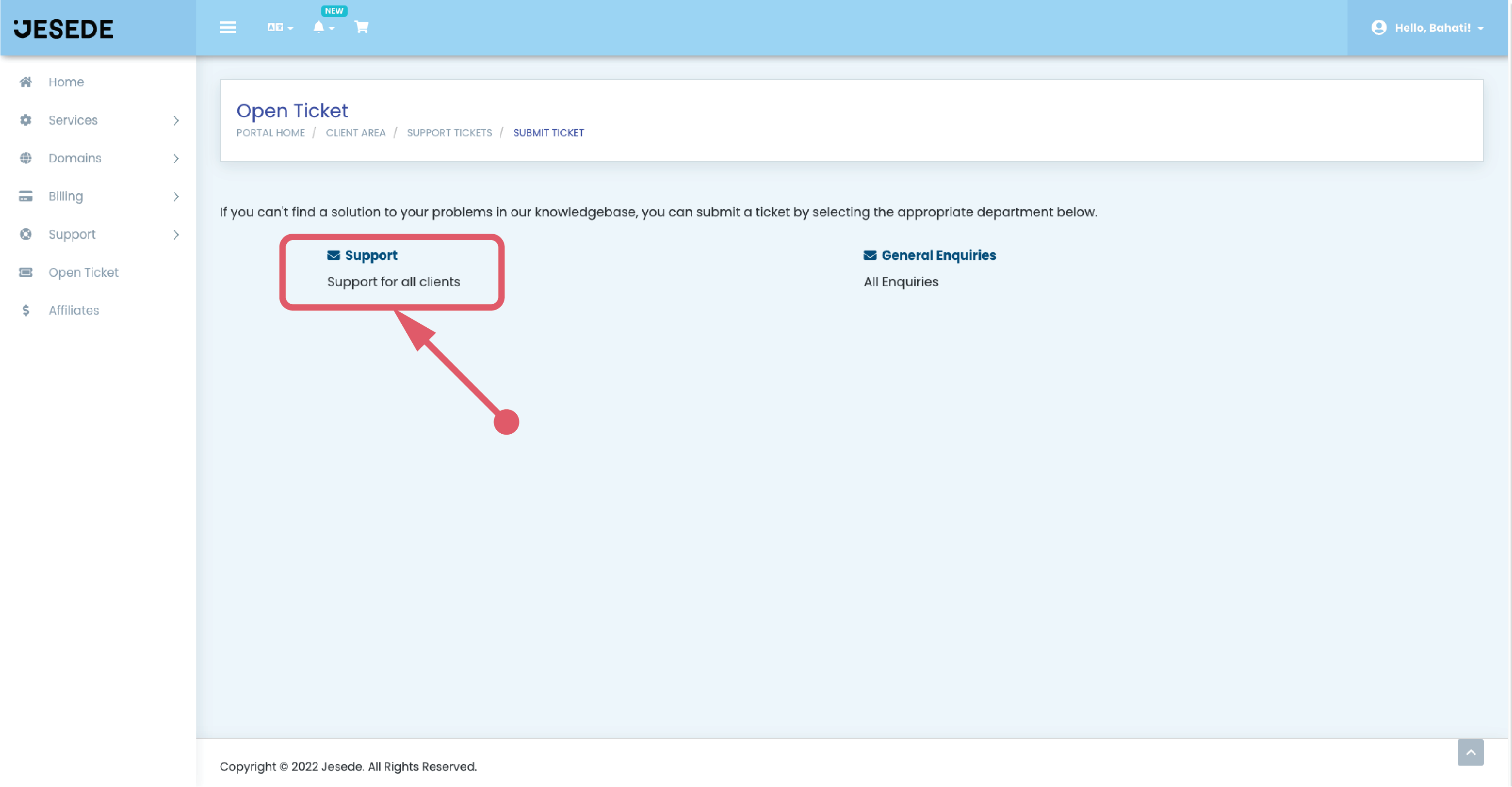
Step 3: Select the support option.
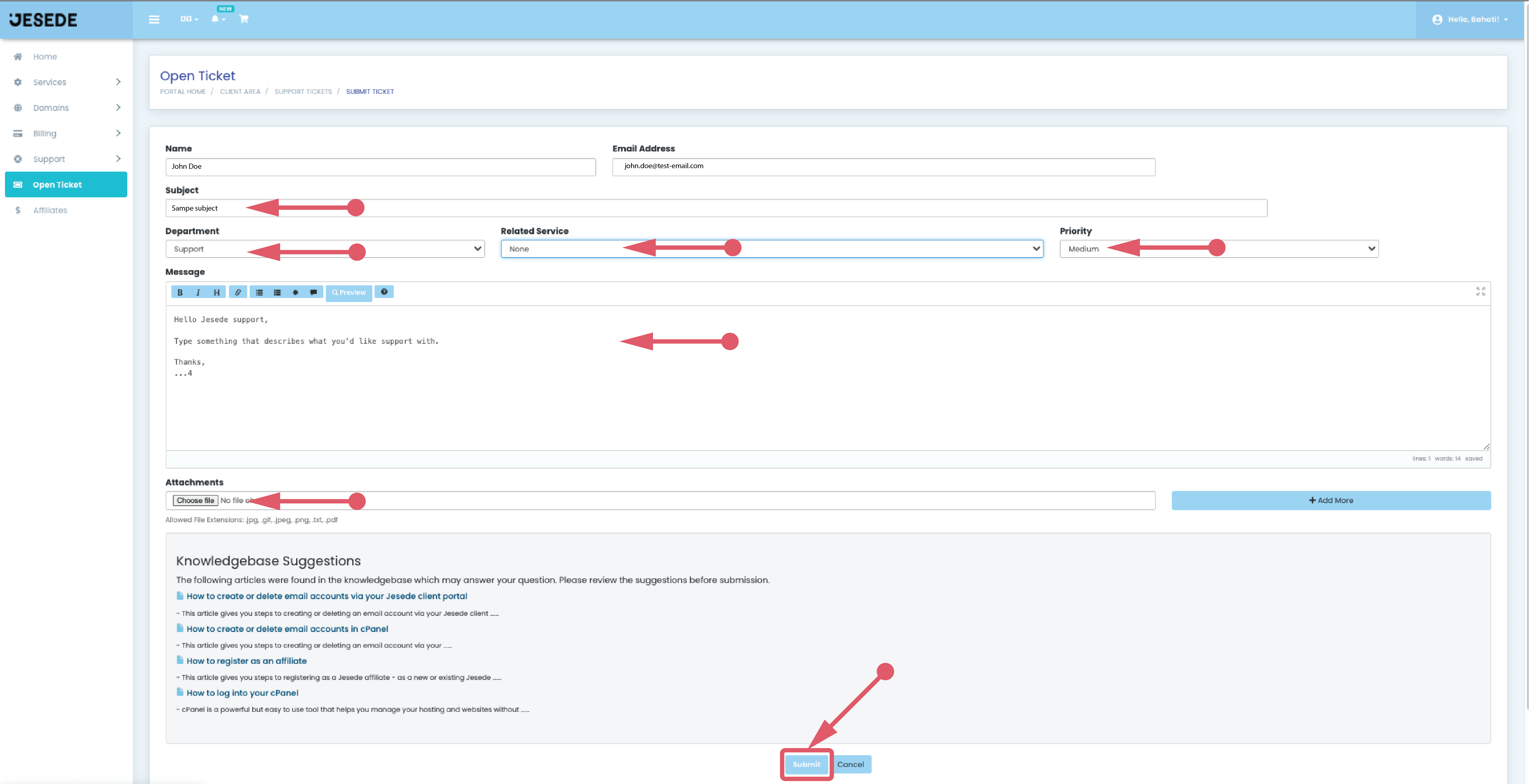
Step 4: Fill in the details and describe the nature of your problem or query. Click on the “Submit” button when you are done.
Voila! That’s how easy it is. Our support consultants will liaise via the ticketing system. You will receive an email when we have responded to your ticket.
